Why Does My Payroll Portal Show “Processed” but the Money Isn’t in My Account?
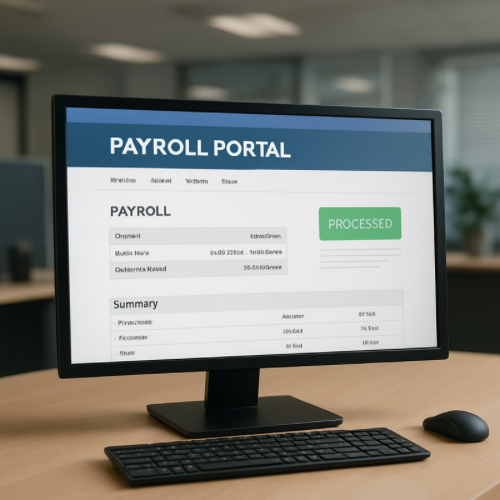
If your payroll portal shows “Processed” but the money is not in your account, it usually means payroll approval has been completed internally, but the bank settlement process has not finished yet.
Payroll systems and banking systems operate in separate stages. “Processed” does not mean “Deposited.”
What “Processed” Actually Means
When payroll shows “Processed,” it generally means:
- Your pay was calculated
- Deductions were applied
- The payroll batch was finalized
- The ACH file was generated
It does not mean your bank has posted the funds.
The ACH Direct Deposit Timeline
Most payroll deposits are sent using the ACH (Automated Clearing House) network.
The process usually follows these steps:
- Employer submits payroll batch to payroll processor
- Payroll processor transmits ACH file to bank
- ACH network routes transaction to your bank
- Your bank posts the deposit on the effective date
This routing delay is similar to how other transactions remain pending before final posting.
Why the Money Isn’t Visible Yet
1. Effective Date vs Transmission Date
Payroll may be processed days before the actual deposit date. The ACH file includes an “effective date” when funds should be released.
2. Bank Posting Schedules
Banks often post ACH deposits in batches during early morning processing windows.
3. Weekend or Holiday Delays
ACH does not process on federal banking holidays. If payroll is processed before a holiday, settlement may occur the next business day.
4. Pre-Notification vs Live Transaction
Some payroll systems display a pre-note status before actual funds transmission.
How This Differs From a Pending Deposit
A processed payroll status differs from a pending direct deposit, where the bank has received the ACH file but has not yet posted it.
In the “Processed” stage, the deposit may still be in transit through the ACH network.
How Settlement Timing Works
ACH deposits are not instant. They follow structured settlement windows similar to other financial processing steps.
This is different from card-based transactions, where an authorization hold reduces available funds immediately before final settlement.
Payroll deposits move in one direction and post only once the receiving bank clears them.
Real-World Example
Your employer processes payroll on Wednesday afternoon. The ACH file is submitted with an effective date of Friday. Your payroll portal shows “Processed” on Wednesday, but your bank does not post the funds until Friday morning.
When It’s Normal vs When It’s Unusual
Normal
- Deposit posts on official payday
- Portal shows processed 1–2 days early
- Funds appear during overnight bank update
Unusual
- Deposit not posted by official payday
- Payroll shows processed but employer confirms transmission error
- Bank reports no ACH file received
What This Means for You
If payroll shows “Processed,” it typically means internal payroll approval is complete, but banking settlement may still be underway.
Bottom Line
“Processed” in a payroll portal confirms payroll calculation and ACH submission, not bank posting. Direct deposit becomes visible only after the ACH network routes and your bank completes settlement processing.