Why Does My Payroll Portal Say “Submitted” but My Pay Isn’t Deposited?
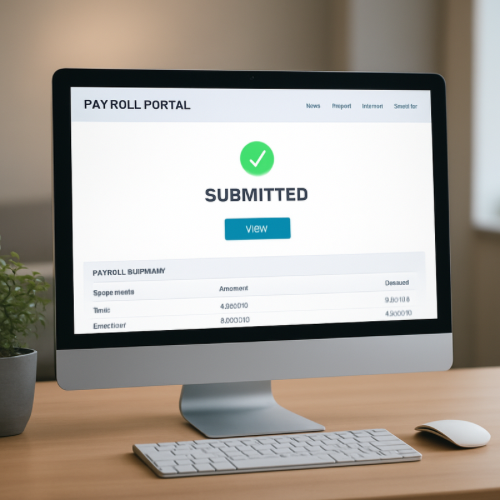
If your payroll portal says “Submitted” but your pay is not yet deposited, it usually means your employer has transmitted payroll data for processing, but the funds have not completed bank settlement through the ACH network.
“Submitted” refers to the employer’s internal payroll workflow — not the final movement of money into your bank account.
What “Submitted” Actually Means
Payroll systems typically move through multiple stages:
- Payroll prepared
- Payroll approved
- Payroll submitted to processor
- ACH file generated
- Funds settled and posted
When you see “Submitted,” it usually means the payroll file has been sent to the payroll processor or originating bank, but settlement has not yet occurred.
How Payroll Money Moves
Most direct deposits are processed through the Automated Clearing House (ACH) system. This is not an instant payment network. It operates in batches with specific cutoff times.
The timeline typically looks like this:
- Employer submits payroll file.
- Originating bank transmits ACH entries.
- Receiving bank receives the ACH file.
- Receiving bank posts funds on the effective date.
If your bank has not yet reached its posting window, the deposit will not appear — even though the payroll portal shows “Submitted.”
Why There Can Be a Delay
1. Processing Cutoff Times
ACH files must meet submission deadlines. If payroll is submitted after a cutoff, it may move to the next business day’s processing batch.
2. Weekends and Holidays
ACH does not process on federal banking holidays. A payroll marked submitted on a holiday may not settle until the next business day.
3. Bank Posting Schedules
Each bank has its own posting cycle. Some post deposits early in the morning. Others post later in the day.
4. Early Visibility vs Final Posting
Some banks show deposits as pending before posting. Others show nothing until the funds are fully settled.
This difference is similar to how a direct deposit can show as pending before becoming available.
Why This Is Different From a Payment Being Declined
Payroll deposits are credit transactions, not purchase authorizations. They do not use card authorization logic like retail purchases.
Card payments can fail during authorization hold checks, but payroll deposits move through ACH settlement instead.
Real-World Example
Your employer submits payroll Thursday afternoon with a Friday effective date. The payroll portal shows “Submitted.” Your bank does not post ACH deposits until early Friday morning. Until that posting window runs, no deposit appears in your account.
When It’s Normal vs When It’s Unusual
Normal
- Portal shows submitted 1–2 days before payday
- Deposit appears on official pay date
- Holiday-adjusted posting delays
Unusual
- No deposit after official pay date
- Employer confirms funds were withdrawn but bank shows nothing
- Status disappears or changes unexpectedly
What This Means for You
A “Submitted” payroll status usually indicates processing has begun, not that funds have completed settlement. The timing gap reflects ACH batch mechanics and bank posting schedules.
Bottom Line
If your payroll portal says “Submitted” but your pay is not yet deposited, the funds are likely still moving through ACH processing. The status refers to internal payroll workflow, not final bank posting.