Why Does My Work Portal Say “Access Denied” Even Though I’m Logged In?
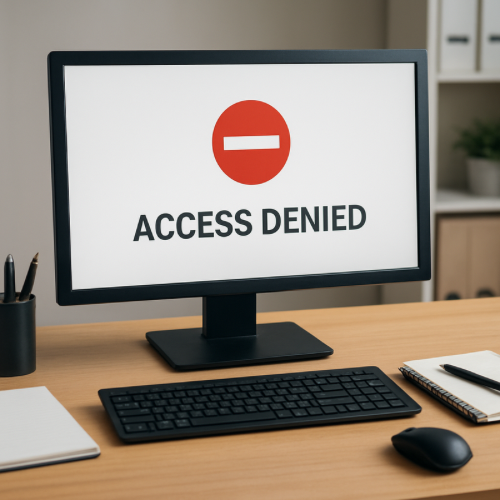
If your workplace portal says “Access Denied” while you are already logged in, it usually means your account is authenticated but not authorized to access that specific section.
Authentication and authorization are separate processes. Being logged in confirms your identity. It does not automatically grant permission to every area of the system.
Why This Happens (The Mechanism)
Most workplace systems use role-based access control (RBAC). Each employee account is assigned a role that determines what features, files, and tools are accessible.
When you log in, the system verifies your credentials. After authentication, it checks your assigned role to determine whether you are permitted to view the requested page.
If the permission check fails, the system displays “Access Denied.”
Authentication vs Authorization
Authentication confirms who you are.
Authorization determines what you are allowed to do.
You can pass authentication successfully but still fail authorization if your role does not include access to that resource.
Common Reasons for Access Denied Errors
1. Incorrect Role Assignment
Your account may not yet be assigned the proper department or job role permissions.
2. Account Provisioning Delay
When a new employee account is created, backend systems may take time to sync permissions across multiple platforms.
3. Expired Session Token
If your login session token expires during navigation, the portal may block access to protected areas.
This is similar to how session expiration messages occur when authentication tokens become invalid.
4. Network or VPN Restrictions
Some workplace systems require connection from a corporate network or approved VPN. Access attempts outside those parameters may be denied.
5. Privilege Changes
If your permissions were recently modified—such as after a role change—the system may temporarily restrict access until updates propagate.
Permission Layers in Workplace Systems
Modern enterprise portals often use layered access control:
- User role level
- Department-based permissions
- Manager approval flags
- Time-based access rules
A failure in any layer can produce an “Access Denied” message.
When It’s Normal vs When It’s Unusual
Normal
- Recently hired or promoted employee
- New tool or feature rollout
- Recent password reset or system update
Unusual
- Access denied to previously available resources
- Error persists across devices and networks
- Multiple employees report identical access issues
If the issue involves repeated login failures rather than authorization restrictions, that may relate to account lockouts such as too many verification attempts rather than permission logic.
Real-World Example
An employee transfers departments. The HR system updates their job title, but the access control system has not yet synced new permissions. The employee logs in successfully but sees “Access Denied” when opening department reports.
The login worked, but authorization rules did not yet reflect the updated role.
What This Means for You
“Access Denied” while logged in usually reflects a permission mismatch rather than an incorrect password.
The system recognizes your identity but does not grant access to the requested resource.
Bottom Line
If your work portal says “Access Denied” while logged in, authentication has succeeded but authorization has failed. Role assignments, permission layers, or network restrictions typically cause the restriction.