Why Do Some Hotel Doors Unlock Slowly After Scanning the Card?
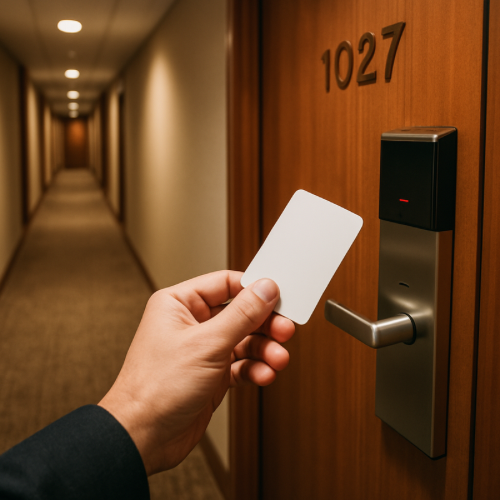
You tap or swipe your hotel key card, and instead of unlocking right away, there’s a short delay. You stand there waiting for a second or two before hearing the click.
It can feel like the lock is slow or not responding, but in most cases, it’s actually going through a series of steps before unlocking.
The Short Answer
Hotel doors may unlock slowly because the system needs time to read the card, verify access, and activate the locking mechanism.
How Hotel Door Locks Work
When you scan your card, the lock doesn’t just open instantly. It first reads the data stored on the card and checks whether it matches the room and the valid time period.
This is part of the same system behind why key cards can stop working after being near certain devices, where the stored data must be read correctly for access to work.
If everything matches, the lock then triggers the internal mechanism to unlock.
Verification Takes a Moment
Even though it feels instant, the lock is processing information in the background. It checks the card’s validity, timing, and permissions.
This step can take a brief moment, especially if the lock is older or designed to process data more carefully.
Battery-Powered Locks
Most hotel door locks run on batteries, not direct power. To conserve energy, they may operate slightly slower than wired systems.
This can add a small delay between scanning the card and unlocking the door.
Mechanical Movement Inside the Lock
After the system verifies the card, a physical mechanism inside the lock has to move to release the door.
This movement is what creates the “click” sound—and it takes a fraction of a second to complete.
Why It Feels Inconsistent
Some doors unlock faster than others depending on the type of lock, battery level, and how quickly the card is read.
If the card isn’t positioned perfectly, the system may take longer to read it, adding to the delay.
Real-World Example
For example, you tap your card after a long day, and the door doesn’t open immediately. The lock reads the card, verifies your stay details, and then unlocks after a brief pause.
That delay is the system confirming your access before opening the door.
What to Expect
In most cases, a short delay—usually a second or two—is normal. You’ll hear a click once the lock finishes processing.
If you scan again too quickly, you may interrupt the process, which can make it seem even slower.
If the delay becomes much longer or the door doesn’t unlock at all, it could be related to the same issues behind key cards failing during a stay.
A Simple Way to Think About It
Think of the lock like a small checkpoint. It checks your “credentials” before letting you through. That check only takes a moment, but it’s still a step that has to happen before the door opens.
When It’s Normal vs Unusual
It is normal for hotel doors to unlock with a slight delay after scanning a card.
If the delay is long, inconsistent, or requires multiple scans every time, there may be a battery or system issue.
The Bottom Line
Hotel doors unlock slowly because they take a moment to read your card, verify your access, and activate the internal lock. That short delay is part of the system working to ensure secure access.