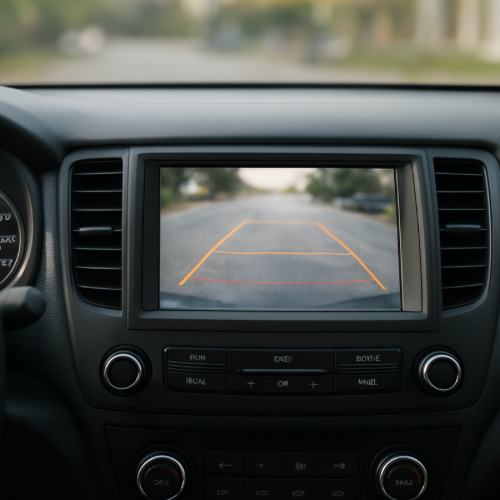
Why Do Backup Cameras Lag or Freeze?
You shift into reverse, look at the backup camera, and notice something off—the image lags, stutters, or even freezes for a moment. It may catch up a second later, but the delay can feel uncomfortable.
This can seem like a malfunction, but in many cases, it’s related to how the system processes and displays video.
The Short Answer
Backup cameras lag or freeze because the system has to capture, process, and display video in real time, and delays can occur during that process.
How Backup Camera Systems Work
When you shift into reverse, a camera at the back of the car starts sending video to the screen inside the vehicle. That video is processed by the car’s system before it appears on the display.
This involves multiple steps—capturing the image, converting it, and displaying it—each of which takes a small amount of time.
Processing Delays
The system handling the camera is also responsible for other functions, such as navigation, audio, and sensors. If the system is busy, the video feed may lag slightly.
This is similar to how car screens can freeze or slow down when handling multiple tasks.
Connection Between Camera and Screen
The camera and display are connected through wiring and internal systems. If there is any delay or interruption in that connection, the video may freeze briefly.
This is especially noticeable when the system is starting up.
Startup Timing
Backup cameras often activate the moment you shift into reverse. The system needs a moment to fully initialize, which can cause a brief delay or frozen image at the start.
Environmental Factors
Lighting conditions, temperature, and moisture can affect camera performance. Low light or glare may make the system work harder to process the image.
This can contribute to lag or reduced clarity.
Real-World Example
For example, when you first put the car in reverse, the screen may briefly freeze before showing a clear image. That’s the system catching up as it activates the camera feed.
What to Expect
In most cases, the lag is brief and the image will stabilize within a second or two.
If the system freezes frequently or for long periods, it may indicate a software or hardware issue.
Short delays are usually normal and built into how the system operates.
A Simple Way to Think About It
Think of the backup camera like a live video stream. It needs time to capture and display each frame, and small delays can happen while everything syncs up.
When It’s Normal vs Unusual
It is normal for backup cameras to have slight lag or a brief delay when first activated.
If the image freezes often or becomes unusable, the system may need inspection.
The Bottom Line
Backup cameras lag or freeze because the system is processing live video while handling other functions. Small delays are normal, but longer or repeated issues may indicate a problem.