Why Does My Bank Statement Show a Different Balance Than My App?
If your bank statement shows a different balance than your banking app, it usually comes down to timing differences between statement closing cycles, pending transactions, and how balances are calculated.
Your statement reflects a fixed snapshot in time. Your app reflects a live, constantly updating view.
Statements Are Static Snapshots
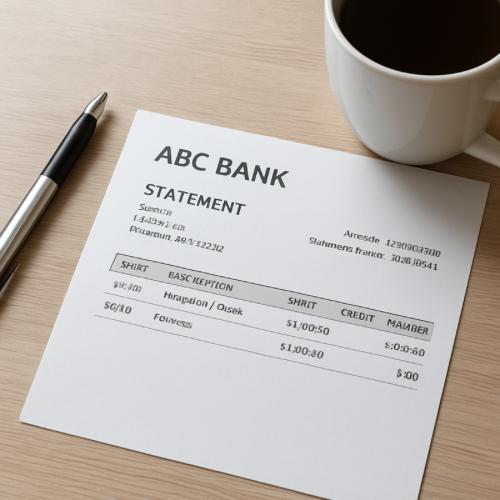
A bank statement covers a defined period — for example, February 1 through February 28. The ending balance on that statement reflects the ledger balance at the exact moment the statement cycle closed.
After that closing date, new transactions will not appear on that statement, even though they will appear in your app.
Your App Shows Real-Time Activity
Your banking app updates continuously as transactions are authorized, settled, or reversed. It may display:
- Pending purchases
- Recently posted deposits
- Holds and adjustments
This means your app balance often differs from the last statement balance.
Ledger Balance vs Available Balance
Most banks track at least two balances:
- Ledger balance – All posted transactions.
- Available balance – Posted transactions minus pending holds.
If you’ve recently made purchases, those transactions may be in authorization status. An authorization hold reduces available funds before the transaction fully posts.
Your statement will only reflect transactions that were fully settled before the closing date.
Pending Transactions Create Temporary Gaps
Pending charges can make your app balance look lower than your statement. This is because the statement does not include transactions that were still pending when the cycle closed.
Similarly, deposits may show in your app but were not included in the prior statement if they occurred after the closing cutoff.
Statement Closing Date Matters
Your statement closing date is not always the end of the calendar month. It could close on the 24th, 27th, or another fixed date depending on your account.
Any activity after that closing moment moves to the next cycle.
Real-World Example
Your statement closed on February 25 with a balance of $2,000. On February 26, you made a $300 purchase and received a $500 deposit. Your app now shows $2,200. The statement still shows $2,000 because it reflects the earlier snapshot.
When It’s Normal vs When It’s Unusual
Normal
- Statement balance matches closing date activity only
- App balance changes daily
- Pending transactions explain the difference
Unusual
- Posted transactions missing from statement period
- Statement ending balance does not match ledger on closing date
- Duplicate or unexplained entries
How This Differs From Payment Processing Delays
This situation is different from when a transaction is marked as processing and has not yet settled. In that case, the transaction is mid-cycle. Statement differences are usually about timing cutoffs.
What This Means for You
A mismatch between your statement and app is usually a timing difference — not an error. Statements are historical records. Apps are live dashboards.
Bottom Line
If your bank statement balance differs from your app balance, it’s typically due to statement closing cutoffs, pending transactions, or the difference between ledger and available balances. The two views reflect different moments in your account’s timeline.